AI agents that read, check and propose
CanonTracker uses AI for the reading: finding facts, second opinions, continuity, research and transcripts. Every one of them proposes; none of them decides. Your own agents connect through MCP under the same rules.
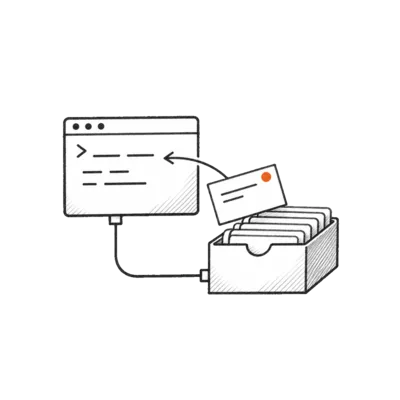
The agents, and the model behind each
Language work runs on Muse Spark via the Meta Model API. Every call is recorded with its model, prompt version and result, and listed on the Agent activity page.
Extractor
Muse SparkReads each imported document and proposes characters, places, relationships, events and rules, each with the quote it came from.
Never makes anything canon. A candidate whose quote isn’t in the source is blocked.
Critic
Muse SparkGives a second opinion on every verified candidate: keep, reject or needs edit, with a reason like figurative or duplicate.
Advice only. It never accepts, rejects or edits a fact.
Continuity
Muse SparkChecks a draft or a passage against accepted canon with CanonTracker’s own read tools, and reports contradictions, dependencies and new facts.
A finding must quote your text and cite real canon, or it is dropped. Fixes are suggestions; nothing is applied.
Research
Muse Spark with web searchAnswers real-world questions with web sources and calculators for physics, calendars, the sky and period travel.
Research notes are never canon. You can promote one, and it then waits in Review like any candidate.
Voice
Muse Voice TranscribeTurns recordings into timed transcripts, and dictation into text in the editor and in Ask.
The transcript is kept as heard and never edited. A failed transcription is shown, never filled in.
Ask
Muse SparkAnswers questions from accepted canon only, with the facts and quotes it used.
With no evidence the answer is “unknown”. It never invents a source or a quote.
Rule check
Muse SparkReads accepted world rules and suggests facts that may break them, next to the deterministic conflict rules.
Shown as an AI suggestion, with its own label. A person confirms or dismisses it.
Images
Muse ImageDraws entity portraits and document covers when you ask, from a prompt drafted from canon that you can edit, in the project’s art style.
Nothing is applied until you pick an image. Portraits are editorial: never canon, never used by conflicts or impact.
What CanonTracker’s AI may do
- Read your documents and propose facts, each with a verbatim quote
- Give a second opinion on a candidate, with a reason
- Suggest a world-rule violation, labelled as an AI suggestion
- Answer questions from accepted canon, or say “unknown”
- Check a draft against canon and suggest fixes as text
- Research outside questions with linked, checked sources
- Transcribe recordings and dictation
- Draw portraits and covers when you ask
What it may never do
- Accept, reject or edit a fact, apply a change, judge a conflict or merge pages: a person does, in the app. No agent token can
- Make a fact canon without a quote found in its source
- Edit an imported document or a transcript
- Invent a source, a quote or a canon id; findings that cite one are dropped
- Fall back to stored output when a live call fails: the failure is shown
- Write notes into your team’s margins
A receipt for every AI run
Agent activity lists each run newest first: which agent, what it was about, the model and prompt version, every step with its tool, arguments, timing and tokens, and what people did with the result afterwards.
- “How was this made?” on an answer opens its run
- A draft’s continuity check is visible only to its author

Connect your own agents with MCP
CanonTracker is an MCP server (Streamable HTTP) with 37 tools: an agent can read, check, propose and do your editorial work in a project, but never decide canon (the exceptions are listed below). Create a token in Settings, under Agents & API. It works in one project, as you, within your current role, and is stored as a hash, shown once and revocable.
- Every action goes through the app’s own checks and limits, and every change is audited, so an agent can never do more than its person
- Accepting, rejecting and every other canon decision stays with a person in the app
- Every change made through a token is in the audit log with via MCP and the token’s name
- Prompts:
brief-entityandcontinuity-check-scene - 120 tool calls a minute per token; large results are paged
claude mcp add --transport http canontracker https://canontracker.com/mcp \
--header "Authorization: Bearer sb_…"sb_… with your token.Two levels of access
Agents read canon, check facts and propose; a person decides in CanonTracker. No level can make a canon decision. You pick the level when you create a token. It never changes; to change it, make a new token. A call the token or your role doesn’t allow is refused with a message that says what is needed.
Propose default
Reads everything, proposes candidates and changes, promotes research notes, and runs the AI checks: extraction, critic, continuity, research, conflict scan and measurements. It can post in Ask like any member. Nothing it does becomes canon.
Full access edits as you
Also the editorial work your role allows: import and write documents, edit wiki pages, notes, the Library and images, tasks and share links. Never canon decisions. Each edit is in the audit log as yours, “via agent” with the token’s name.
Not available to agents
- Canon decisions: accepting, editing or rejecting candidates, adding straight to canon, applying or reverting changes, judging conflicts or their severity, re-checking citations and merging pages
- Accounts, studios and API tokens: an agent never creates a token
- Team changes: roles, removals and invites (members can be listed; invite links are never returned)
- Accepting an invite and loading a sample
- Audio uploads and dictation: audio doesn’t fit a tool call
- Binary downloads: portraits, images, audio, original Word files, EPUB and zip
- Sign-in with OAuth: not built yet; agents use a bearer token
The tools
Canon and documents: 16 tools
| Tool | What it returns |
|---|---|
sb_list_projects | Projects the token can reach |
sb_get_context_pack | Canon about a topic, ready for a prompt |
sb_search_facts | Search canon facts |
sb_get_fact | One canon fact with its citations |
sb_get_entity | An entity’s canon, relationships, timeline and appearances |
sb_list_entities | Every wiki page |
sb_get_timeline | Events in a window of story time |
sb_ask | The same grounded answer as Ask |
sb_list_documents | Documents and versions |
sb_read_document | Any version, by lines or passages, paged |
sb_check_facts | Run the conflict rules on up to 20 proposed facts; stores nothing |
sb_list_conflicts | Open and decided conflicts |
sb_get_impact | The impact of a change proposal |
sb_list_recheck | Citations to re-check after a new version |
sb_list_tasks | Re-review tasks |
sb_propose_candidate | A pending candidate with a verbatim quote, for Review (editors and up) |
The app, area by area: 21 tools
One tool per area, with an action. Read and propose actions work with any token; the last column needs a full-access token, and your role still applies. No action decides canon.
| Tool | Area | Read and propose | Full access |
|---|---|---|---|
sb_review | Review queue | list · add to review · critic | — |
sb_change | Change proposals and impact | list · export · propose · analyze | — |
sb_conflict | Possible conflicts | scan | — |
sb_task | Re-review tasks | — | update |
sb_entity | Wiki pages | merge_preview | create · update · delete · portrait_set · portrait_remove |
sb_project | Project settings, research profile, entity types | get · types | update · type_create · type_update · type_delete |
sb_team | Studio members | list (invite links are never returned) | — |
sb_document | Import, write and inspect documents | history · diff · script · extract | import · write · transcribe · script_link |
sb_draft | Your private drafts | list · get | create · update · save · delete |
sb_note | Notes in the margin | list | create · update |
sb_library | Folders, tags and labels | get | folders · tags · organise |
sb_images | Portraits and covers | list | upload · generate · apply · remove_cover · caption · delete |
sb_continuity | Continuity check against canon | run · get | — |
sb_research | Real-world research (never canon) | run · list · get · promote | pin · unpin |
sb_conversation | Team conversations in Ask | list · read · start · post | rename |
sb_export | The story bible and the manuscript | bible (Markdown or JSON) | — |
sb_share | Read-only share links | list | create · revoke |
sb_audit | Audit trail | list · export | — |
sb_metrics | Counts and gold-set measurements | stats · eval_runs · eval_run | — |
sb_agent_runs | AI activity receipts | list | — |
sb_search | Search canon, pages, documents and notes | search | — |
Empty results say “unknown” or “no impact found”. Errors are JSON with a code such as QUOTE_NOT_VERBATIM or RATE_LIMITED.
Set up in the app
Settings, Agents & API: name the token, choose propose or full access, and copy a ready-made config for Muse Code, Muse Spark, Claude Code, Cursor or any other client with the token filled in.
- Each token shows its level and when it was last used
- Revoke a token at any time

Start with a finished story
Create a studio and load The Ashbell Pass or Broken Tide: real documents, AI candidates to review and planted contradictions to find. Or run CanonTracker on your own server; it is open source.